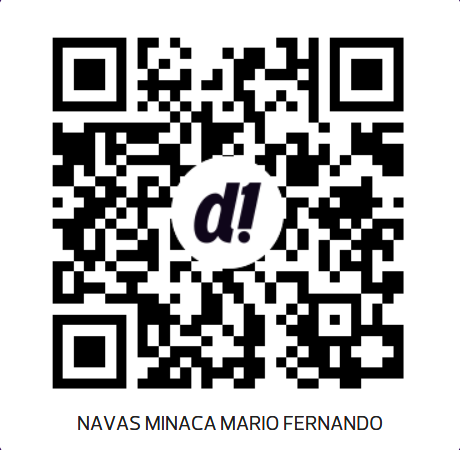
De Una · Banco Pichincha
Escanea el QR con tu app bancaria para enviar tu aporte.
¡Muchas gracias!
Build rich tests with audio, video, formulas, and images. Auto-score results, run live trivia games with the whole class, and keep every byte of data on your own server.
From a simple multiple-choice quiz to a timed spelling bee with audio — QuizBuilder handles it all.
Build questions with bold text, headings, lists, LaTeX formulas (via KaTeX), images, audio, and video — all in one editor.
Upload MP3 or MP4 files per block. Each question group can have a shared audio clip — perfect for spelling bees and listening comprehension.
Multiple choice, true/false, multiple select, and short-text questions are scored automatically on submission.
Open answers — essays, free text — are flagged for reviewer grading. Reviewers assign scores and leave comments.
Set a draw count and each taker gets a different random subset of questions from your pool. Seeded by session for reproducibility.
Publish via open link, registered users, or one-time access codes. Each test gets its own unique URL.
Set a time limit per test. Sessions expire automatically and auto-save protects answers as the taker works.
Run multiple organisations on one instance. All data is fully isolated per tenant — users, tests, questions, and media files.
Export tests as JSON or ZIP bundles (with media). Import via JSON, ZIP, or CSV spreadsheet. Share tests between schools or teams.
Duplicate any test — questions, settings, and blocks — as an independent copy. Great for versioning exams or creating variants.
Multiple-select questions can award proportional points for partially correct answers, or stick to all-or-nothing — configurable per test.
Set an open date and a close date on any test. Takers who try outside the window get a clear message — no manual toggling needed.
Turn any multiple-choice or true/false test into a real-time class game. Players join with a PIN or QR code — no account or app needed. Speed-weighted scoring keeps it competitive.
Mix and match question types within the same test. Every type supports rich content in the prompt.
Upload one audio clip per word. Takers hear the word and type the answer — auto-scored instantly.
Timed, proctored or self-paced. Mix auto-scored and essay questions. Export results as CSV.
Listening comprehension with audio blocks. Reading passages with follow-up questions.
Candidate evaluations with access codes. Anonymous or identified. Reviewer grading for open answers.
Configurable passing score. Multiple attempt limits. Show or hide correct answers after submission.
LaTeX formula rendering (KaTeX). Code blocks in prompts. Image attachments for diagrams.
Launch any test as a whole-class live game. Players join on their phones with a PIN or QR code — no app, no account. Speed scoring keeps it exciting.
No cloud dependency. No per-seat pricing. Your data stays on your server.
Download QuizBuilder with Git — or grab the ZIP from GitHub. You'll need Docker and Python 3 installed first.
One command sets up passwords, generates security keys, and starts the server. Just answer two prompts.
Log in with your admin account and start creating tests. Publish and share the link — done.
# Clone the repository
git clone https://github.com/mnavas/quizbuilder
cd quizbuilder

# Install, configure, and start — one command does it all
# Mac / Linux:
./quizbuilder install
# Windows:
quizbuilder install

# Open the admin panel
http://localhost:3000
The QuizBuilder app lets students practice any test bundle without internet access. Download a bundle once via QR code or file import — then study anywhere, anytime.
QuizBuilder is free to self-host. If you need setup assistance, custom development, or ongoing support — we offer paid services to get you running fast.
I'll deploy QuizBuilder on your server, configure nginx and TLS, set up backups, and hand you a fully working instance ready to use.
Already have tests in another format — Word docs, Google Forms, PDFs, spreadsheets? I'll convert and import them into QuizBuilder, including audio if needed.
Need a feature that isn't there yet? Custom question types, white-labelling, integrations, or anything else — I can build it.
QuizBuilder is built and maintained as a side project. It's free and open source — but hosting, development tools, and time all have a real cost.
If QuizBuilder saves you time or money, consider sponsoring the project. Every contribution helps keep it maintained, documented, and improving.
All contributions go directly to the developer. No VC, no company behind this.
QuizBuilder is released under the GNU GPL v3. Use it, study it, modify it, and share it freely — as long as you keep it open. No vendor lock-in, no usage fees, no telemetry.
View on GitHub →Escanea el QR con tu app bancaria para enviar tu aporte.
¡Muchas gracias!